
Custom Software
Not every problem needs a platform. Sometimes it needs a well-defined service that moves data between two systems correctly, or a small internal tool that replaces an hour of copying and pasting every day.
In scope
- APIs and backend services
- System integrations
- Data processing pipelines
- Internal tools
Scope and sequence confirmed in writing before work starts.
In short
We write APIs, integrations, backend services and data processing jobs, and we look for the smallest system that solves the problem and can be maintained, not the largest one we could build. Interface contracts, tests around the rules that matter and documentation someone else can follow are part of the deliverable. Integrations are specified for failure, because external systems go down, rate limits appear and files arrive with unexpected content. Where a vendor API covers only half the need, that gap is named before the build.
In context
Small software that removes large friction
Custom software earns its place when the work is specific and repeated: an integration no vendor offers, a calculation only your team understands, a report assembled by hand every week. We look for the smallest system that solves it and can be maintained — not the largest one we could build.
That means clear interface contracts, tests around the rules that matter, and documentation someone else can follow. Integrations are designed for failure too: external systems go down, rate limits appear, and files arrive with unexpected content. Those cases belong in the specification, not in an incident report later.
The problem
Where manual work hides
- 01
Two systems hold the same data
Customer records are entered twice, invoices are reconciled by hand, and discrepancies are found by customers.
- 02
The vendor API covers half of what you need
A closed system offers export files or a partial API, and the missing step is a manual routine nobody documented.
- 03
Reports are assembled by hand
Someone exports, combines and formats data every week, and the result depends on their availability and care.
- 04
The internal tool has no owner
An outdated script or spreadsheet macro still drives an important process, and nobody wants to change it.
What we do
What we build
Focused services and interfaces with explicit contracts, tests around the critical rules, and logs that make production behaviour traceable.
API development
REST or job-based interfaces with documented contracts, authentication, rate limits, pagination and error responses consumers can handle.
System integration
Connectors between CRM, ERP, accounting, payment and communication systems, using official APIs where they exist and planned file transfers where they do not.
Backend services
Services that own one responsibility: pricing, provisioning, document generation, notification routing or scheduled reconciliation.
Data processing
Import, validation, transformation and export pipelines with clear rules for malformed input and a visible result for every record.
Internal tools
Small focused interfaces for operations teams: bulk actions, search, approvals and exports without a full product build.
Legacy modernization
Replacing fragile scripts step by step while the old process keeps running, with parallel checks before cutover.
How we work
Contracts before code
An integration fails quietly if nobody defined what happens when the other side is unavailable. That definition is part of the work.
- 1
Map systems and data
Which systems exist, what they expose, which data is authoritative and where the manual steps sit.
- 2
Define the contract
Inputs, outputs, failure states and ownership agreed in writing before implementation, including unavailable dependencies.
- 3
Implement with tests
The service is built with automated tests around the rules that must not break, and logs that make production behaviour traceable.
- 4
Run in parallel
The new path runs alongside the manual process, comparing results until any difference is explainable.
- 5
Roll out and document
Cutover, monitoring and documentation, then either a maintenance arrangement or a clean handover to your developers.
Describe the manual step
Tell us which systems are involved and what people do by hand today. We will outline an integration or tool and what it takes to run it.
Architecture
How an integration fits together
- 1
Source systems
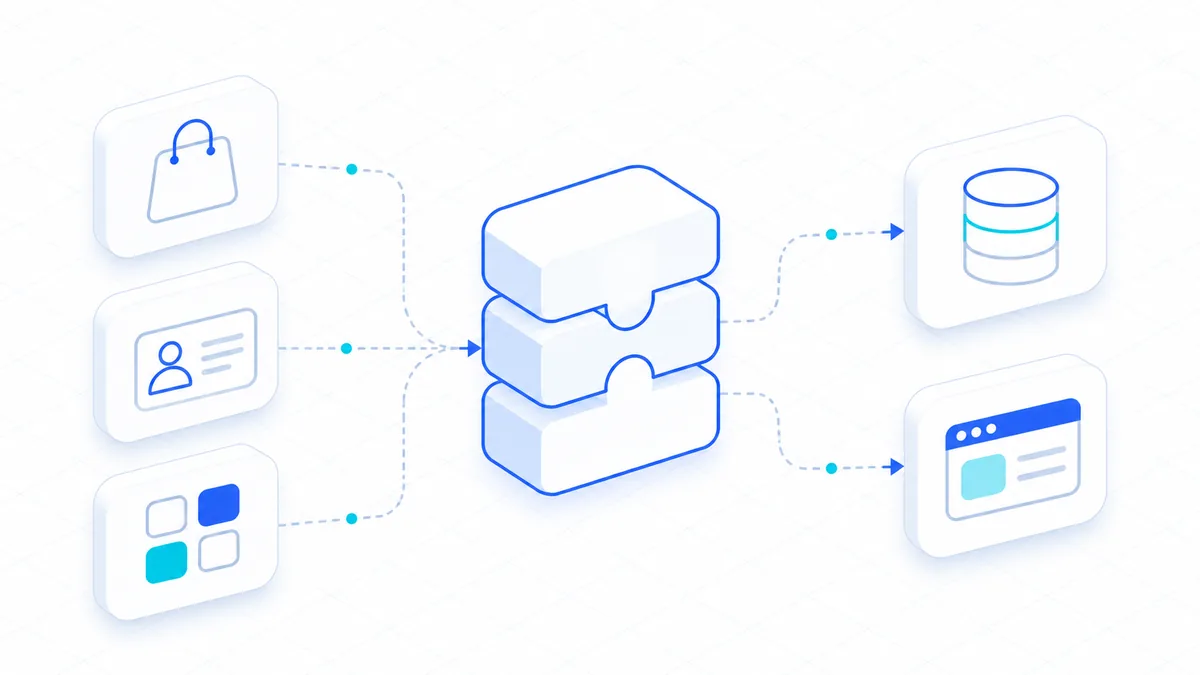
CRM, ERP, shop or legacy database, using the access method each one actually supports.
- 2
Integration layer
Scheduled jobs or event-driven workers that validate, transform and route data.
- 3
Data store
A small operational database for state, retries and an audit of processed records.
- 4
Consumers
Target systems, internal tools, reports or files delivered to a defined location.
- 5
Monitoring
Queue depth, failed items and a list of records that need human attention.
FAQ
Questions about Custom Software
Related services
Services that pair with Custom Software
Let's Build What's Next
Tell us what you need — development, hosting, security or AI. We'll discuss a solution for your goals.