
DevOps & Administration
Releases that depend on one person remembering the right commands are a risk, not a process. We build the pipeline, the environments and the visibility that make deployment routine and failures obvious.
In scope
- Linux and container operations
- CI/CD and deployment pipelines
- Observability and alerting
- Secrets and access management
Scope and sequence confirmed in writing before work starts.
In short
DevOps here is the set of decisions that let a change reach production without a person reciting commands from memory: how the build is produced, how configuration is supplied, how the release is switched, verified and undone. We start with the steps that cut risk fastest, usually a reproducible build and a staging environment, then logs and a few alerts someone actually acts on. Secrets stay out of the repository, and configuration stops depending on one person's memory.
In context
Make releases boring
DevOps is not a tool category. It is the set of decisions that determine whether a change can reach production on a Tuesday afternoon without anyone holding their breath: how the build is produced, how configuration is supplied, how the release is switched, how it is verified and how it is undone.
We work on those decisions in the order that reduces risk fastest. A reproducible build and a staging environment usually matter more than a sophisticated orchestration platform; descriptive logs and a few meaningful alerts are worth more than a wall of dashboards nobody opens.
The problem
Signals that the delivery process is fragile
- 01
Deployment depends on a person
Only one engineer knows the sequence, and releases are scheduled around their availability.
- 02
There is no staging environment
Every change is tested in production, with the customers as the test users.
- 03
Failures are discovered by users
No metrics, no error aggregation and logs spread across machines, so diagnosis starts from a complaint.
- 04
Secrets live in the repository
Passwords and API keys sit in configuration files and chat history because there is no better place yet.
- 05
Servers were configured by hand
Nobody can rebuild a machine identically, so the second environment behaves differently from the first.
What we do
The pipeline and the platform
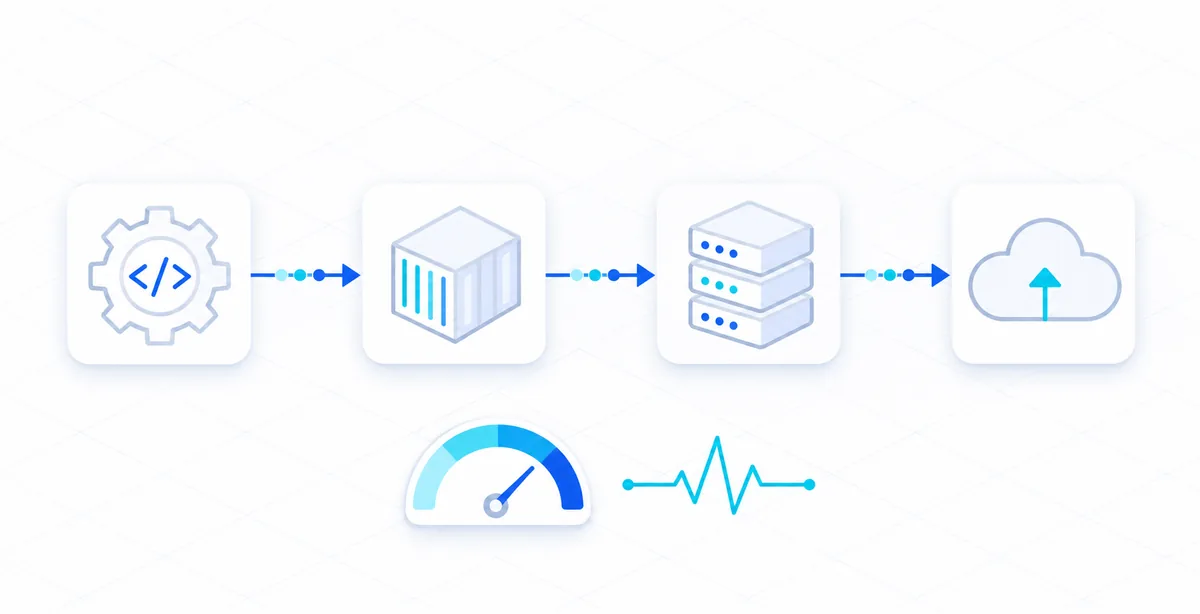
Each piece is introduced because it removes a specific failure mode: unreproducible builds, untested releases, invisible outages, leaked credentials.
Linux administration
Server setup, users and SSH access, systemd services, log rotation, package and kernel updates, and a documented baseline configuration.
Containers
Docker images with reproducible builds, health checks, resource limits and compose or cluster deployment that matches your scale.
CI/CD pipelines
Automated lint, test, build and deploy steps with environments, approvals where needed and a rollback that does not require improvisation.
Infrastructure as code
Servers, networks and DNS described in version-controlled files so environments can be recreated rather than remembered.
Observability
Metrics, structured logs and error tracking with a small set of alerts tied to user-visible symptoms, plus dashboards for the resources that matter.
Secrets management
Credentials in a secret store or CI environment, rotation where supported, and no secrets in repositories, images or chat.
How we work
One improvement at a time, on a real service
The pipeline is changed incrementally. The old path stays available until the new one has survived a real release.
- 1
Review the current state
How code reaches production now, what breaks, where time is lost and which changes would help most.
- 2
Design the target pipeline
Build, environments, configuration, release strategy and the minimum observability needed to trust it.
- 3
Implement incrementally
One improvement at a time, applied to a real service, with the old path available until the new one is proven.
- 4
Migrate and cut over
Move deployments to the pipeline, verify with a real release and keep a manual fallback for the transition.
- 5
Document and hand over
Runbooks for common failures, pipeline documentation and access for the team that will operate it.
Make the next release uneventful
Tell us how code reaches production today and where it hurts. We will propose the smallest set of changes that makes deployment predictable.
Architecture
A deployment pipeline end to end
- 1
Commit and checks
Lint, tests and type checks run on every change; a failure stops the pipeline before anything is deployed.
- 2
Build and registry
A versioned container image or release artifact, built once and promoted unchanged.
- 3
Deploy
Staging first, then production with health checks and an automated or one-command rollback.
- 4
Observe
Metrics, logs and error tracking feed a short list of alerts tied to real symptoms.
- 5
Secrets
Environment credentials injected at runtime from a secret store, never baked into an image.
FAQ
Questions about DevOps & Administration
Related services
Services that pair with DevOps & Administration
Let's Build What's Next
Tell us what you need — development, hosting, security or AI. We'll discuss a solution for your goals.